Visible document workflow
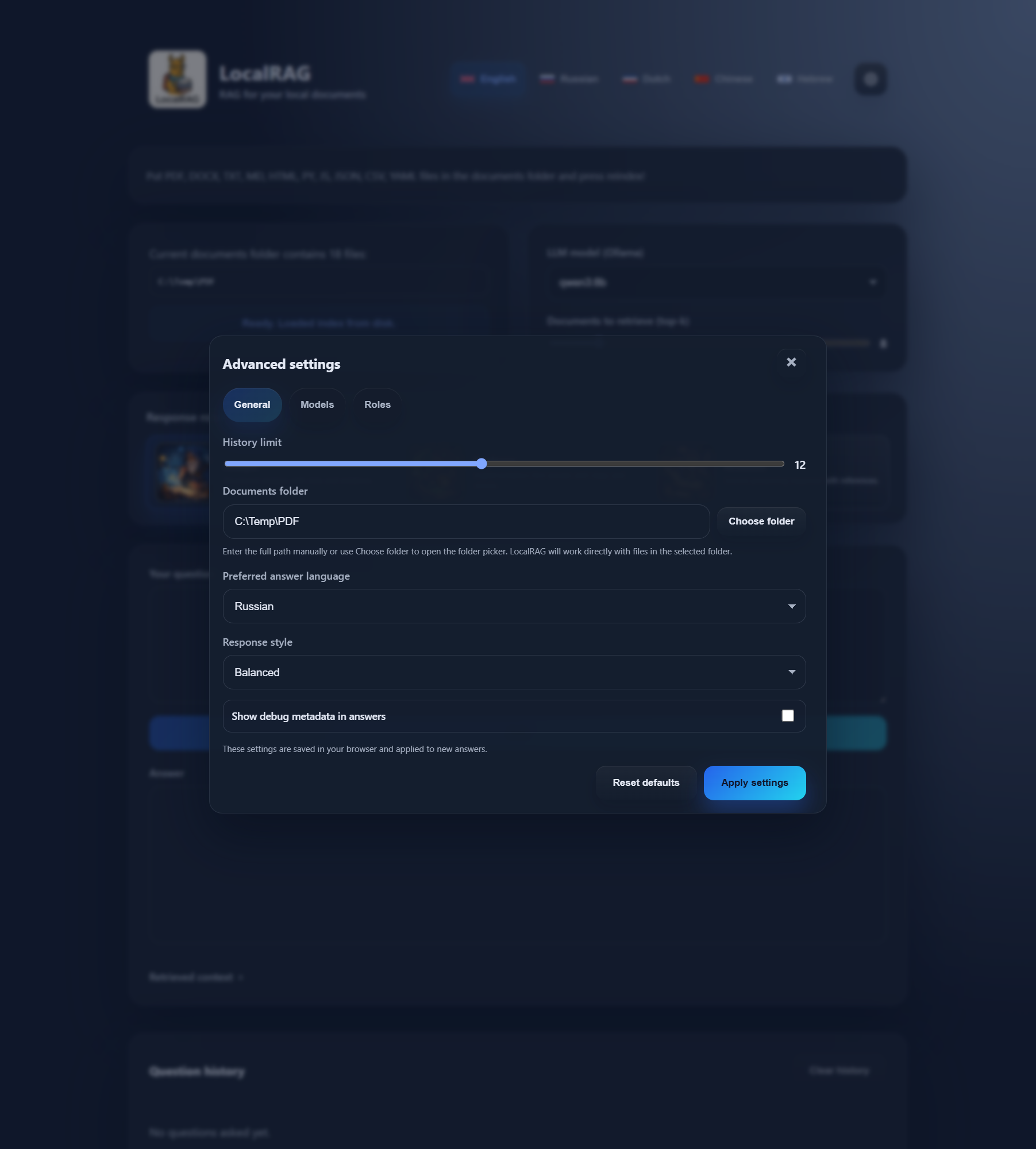
Folder path, search settings, answer surface, and source evidence stay in view instead of disappearing behind setup flows.
Chat with local documents, search OCR PDFs and scans, and get answers with source passages without sending sensitive files to the cloud.
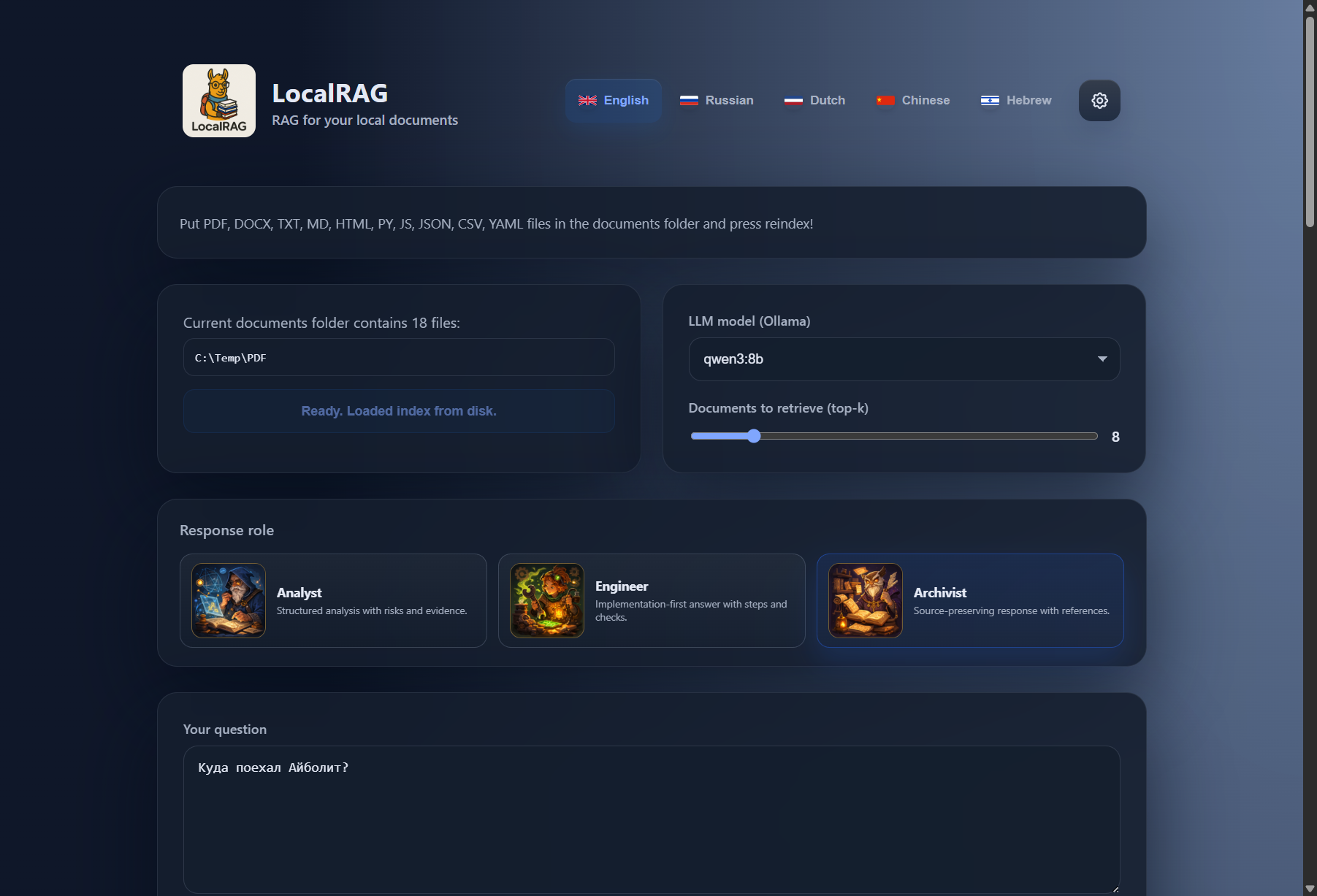
Folder path, search settings, answer surface, and source evidence stay in view instead of disappearing behind setup flows.
It starts with your real working folder: PDFs, scans, notes, mixed formats, and multilingual files.
Point LocalRAG at a local folder and begin. No mandatory upload flow and no default cloud handoff.
Open the passage behind the answer and check what the model actually used.
OCR PDFs, scans, uneven filenames, mixed languages, notes, and half-clean archives.
Models, embeddings, retrieval depth, and response roles stay in the interface instead of disappearing into side config.
Folder path, answer language, retrieval settings, models, and supporting passages stay visible before and after each question.
Use the directory you already rely on, including OCR PDFs, scans, notes, and mixed content.
Read the answer, open the retrieved passages, and check what the model actually used.
Tune models, embeddings, retrieval depth, and response roles without leaving the product.
A grounded workflow, not a black box.
These captures come from the current LocalRAG build, so the page stays tied to the real interface.
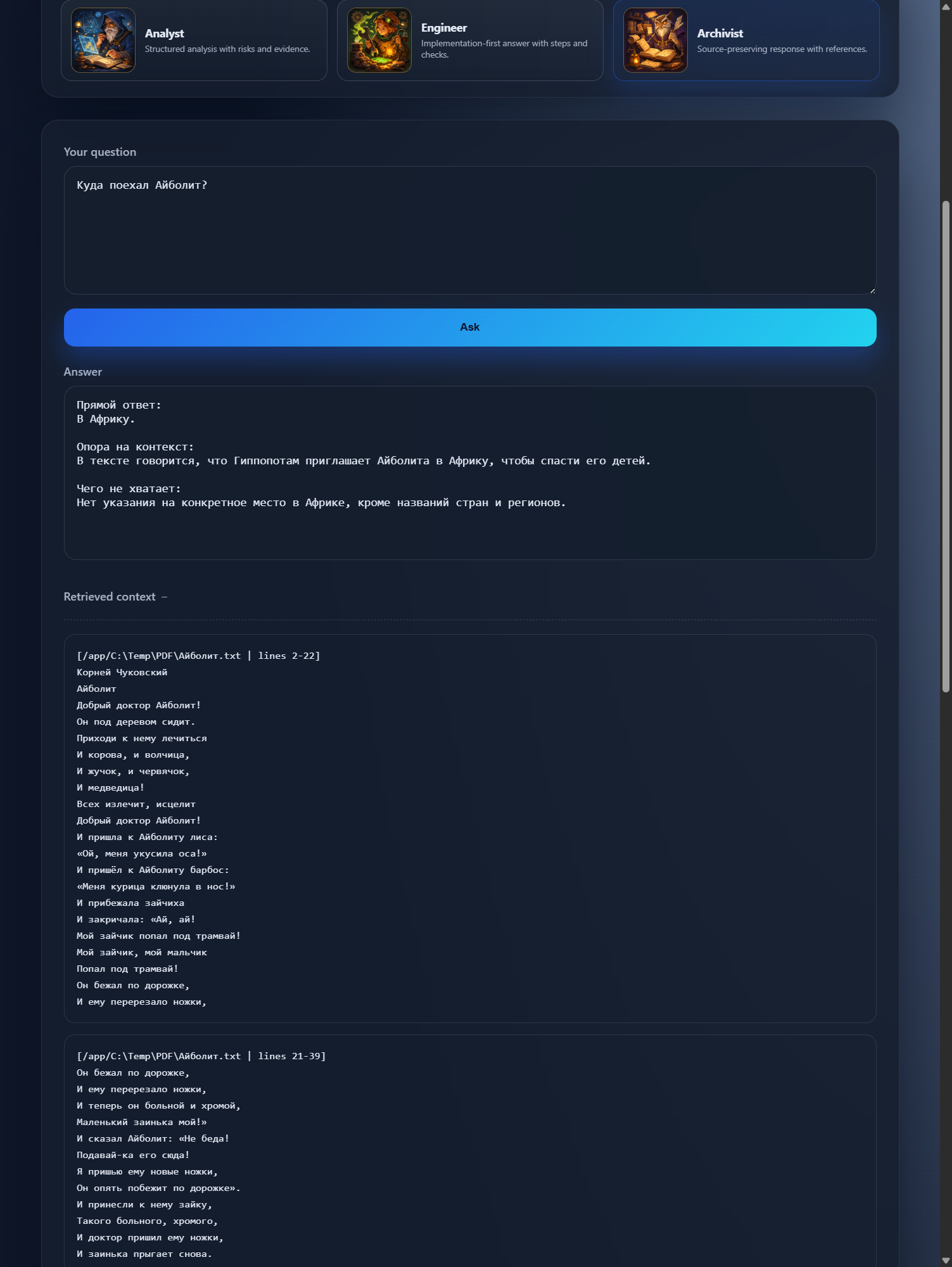
What matters is not the phrasing. It is the ability to jump straight to the supporting passage.
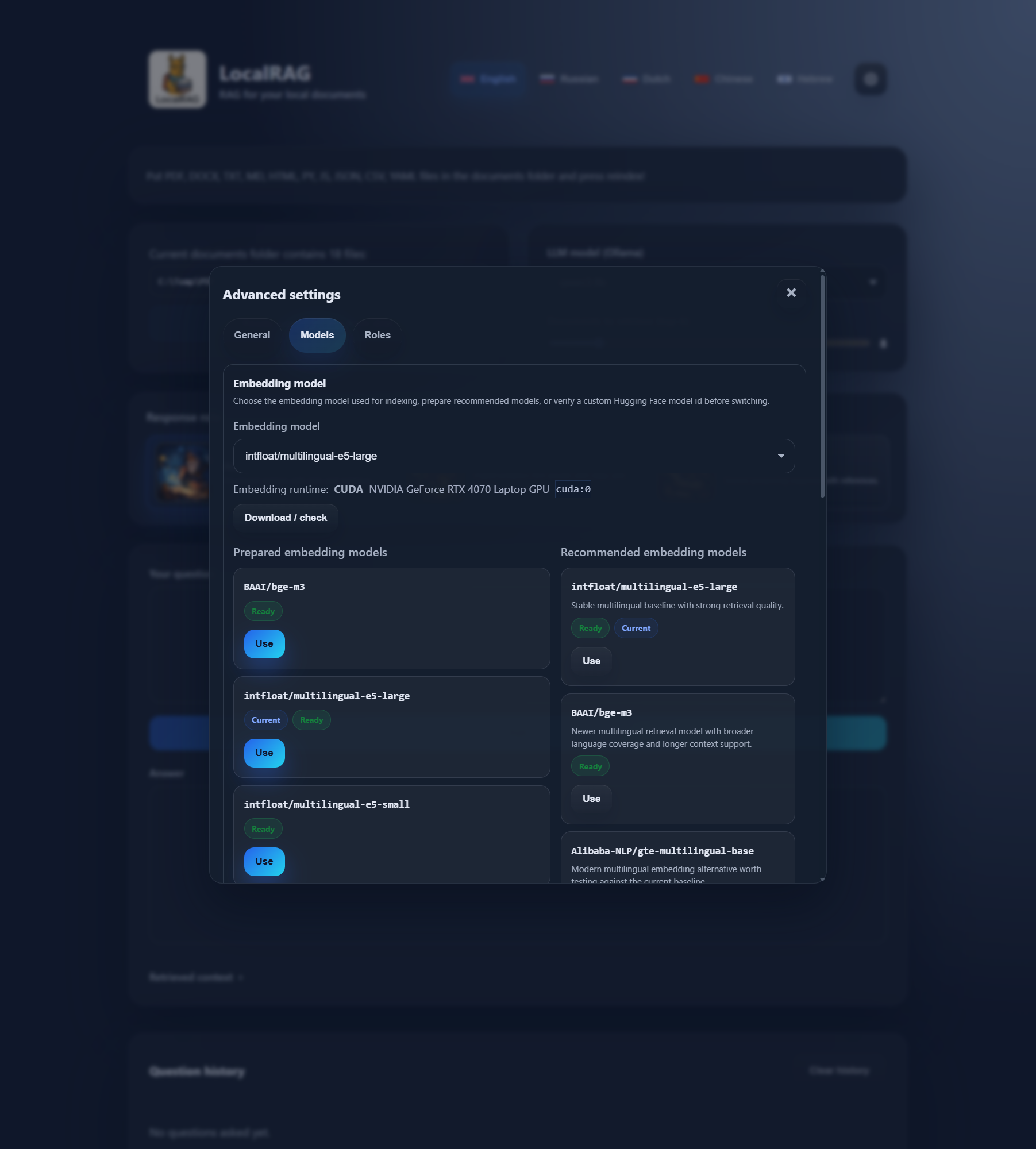
Language model and embedding choices are part of the workflow, not a side ritual.
The corporate layer keeps the same local-first logic and adds the parts a real rollout needs: connectors, permissions, APIs, event flows, monitoring, and quality checks.
File shares / Object storage / Knowledge bases / SQL-backed content
Internal APIs / Webhooks / Queues and events / Monitoring and quality checks
The workflow stays familiar. The surrounding layer changes: connectors, automation, permissions, monitoring, and quality checks.
Free is enough for personal work, pilots, and evaluation. Corporate is for teams that need connectors, governance, and an operating layer around the same core product.
Best if you want local AI for private documents on your own machine and want to understand the product before adding more infrastructure.
The same LocalRAG core, expanded with connectors, governance, and the pieces needed for internal platforms.
Start with the free build if you want to test on real folders. If you need connectors, private deployment, or enterprise rollout design, talk to us about the corporate layer.